Nothing in digital marketing comes completely free. Just ask OpenAI, which recently announced ad testing on its ChatGPT free and $8/month Go tiers, or Ethereum users paying gas fees for every transaction. The same principle applies to AI-powered SEO tools. While many promise zero-cost solutions, they often monetize through data collection, usage limits, or premium upgrades.
In 2026′s competitive SEO landscape, automation isn’t optional—it’s essential. Manual keyword research, content optimization, and technical audits consume hours that could be spent on strategy and creative work. The question isn’t whether to automate, but which free tools deliver genuine value without hidden costs that outweigh their benefits.
The Reality of “Free” SEO Automation in 2026

Free SEO tools operate on various monetization models. Some collect and sell user data, others limit functionality to push upgrades, and many rely on advertising revenue. Understanding these models helps you make informed decisions about which tools align with your needs and risk tolerance.
Consider the infrastructure costs driving these decisions. OpenAI’s $1.4 trillion infrastructure bill context explains why even premium services need additional revenue streams. Similarly, Bybit’s $45 free rewards promotion shows how “free” offers often have strings attached—in this case, participation requirements and limited availability.
Setting realistic expectations is crucial. Free tools typically offer basic functionality with usage caps, delayed data updates, or limited integrations. However, for small businesses, startups, and individual consultants, these limitations are often acceptable trade-offs for accessing powerful SEO capabilities without upfront investment.
Free SEO Automation Tools by Task
Keyword Research Automation Tools
Keyword research forms the foundation of any SEO strategy, and automation can reduce this process from hours to minutes. Google Keyword Planner remains the gold standard for free keyword research, offering search volume data, competition levels, and keyword suggestions based on your seed terms.
Ubersuggest provides additional functionality with keyword difficulty scores, content ideas, and competitor analysis. While the free version limits daily searches, it’s sufficient for most small-scale projects. AnswerThePublic excels at discovering question-based keywords and long-tail opportunities that often convert better than generic terms.
For more advanced users, Keyword Tool.io generates keyword suggestions from multiple sources including Google, YouTube, Bing, and Amazon. The free version provides limited data but offers valuable insights into cross-platform search behavior. Integration capabilities vary—most tools offer CSV exports, while some connect directly with Google Analytics and Search Console.
Content Optimization Automation
Content optimization tools help ensure your articles meet SEO best practices without manual checklist reviews. Yoast SEO’s free WordPress plugin analyzes content readability, keyword density, and meta descriptions in real-time. It provides actionable suggestions that improve both user experience and search engine visibility.
Rank Math offers similar functionality with additional features like schema markup automation and advanced snippet previews. The free version supports unlimited websites and provides comprehensive SEO analysis for each page. Hemingway Editor, while not strictly an SEO tool, improves content clarity—a factor increasingly important for both users and search algorithms.
Grammarly’s free tier helps eliminate grammatical errors that can impact content quality signals. While premium features include advanced suggestions, the basic version catches most issues that affect readability and professionalism. These tools integrate seamlessly with most content management systems and can be used during the writing process rather than as post-creation audits.
Technical SEO Automation Tools
Technical SEO audits traditionally require significant expertise and time, but automation tools can identify many common issues quickly. Google Search Console provides free access to crawl errors, mobile usability issues, and security problems. The platform also offers performance data and indexing status updates.
Screaming Frog’s SEO Spider offers a free version that crawls up to 500 URLs—sufficient for most small websites. It identifies broken links, duplicate content, missing meta descriptions, and other technical issues. The tool generates comprehensive reports that prioritize fixes based on impact.
GTmetrix analyzes page speed and provides optimization recommendations. While the free version limits testing frequency, it offers valuable insights into Core Web Vitals metrics that increasingly influence search rankings. Integration with Google Analytics allows you to correlate technical issues with traffic patterns and user behavior.
Rank Tracking Automation Solutions
Monitoring keyword rankings helps measure SEO progress and identify opportunities. SERPWatcher by Mangools offers a free plan tracking up to 50 keywords across desktop and mobile devices. The tool provides daily updates and competitor comparison features that help contextualize your performance.
Google Rank Checker Extension allows manual rank checking directly from search results pages. While not fully automated, it eliminates the need to copy-paste keywords into search engines. The extension supports multiple search engines and geographic locations.
Nightwatch offers a free trial with limited features but includes rank tracking capabilities. The platform provides white-label reporting and integrates with Google Analytics, making it suitable for agencies managing multiple clients. Most free rank tracking tools have limitations around keyword volume and update frequency.
Link Building Automation Tools
Link building remains one of the most time-intensive SEO tasks, but automation can streamline prospecting and outreach. Hunter.io’s free plan provides 25 monthly searches for email addresses associated with websites. This capability is essential for personalized outreach campaigns.
Ahrefs’ free backlink checker allows you to analyze up to 100 backlinks per domain. While limited compared to the paid version, it provides valuable insights into competitor link profiles and potential link opportunities. The tool also shows top pages by backlinks, helping identify content that attracts links in your niche.
Google Alerts can be configured to monitor brand mentions and unlinked references. While not strictly an SEO tool, it automates the discovery of link building opportunities. Integration with email marketing platforms enables efficient follow-up sequences for outreach campaigns.
Skill Level Organization
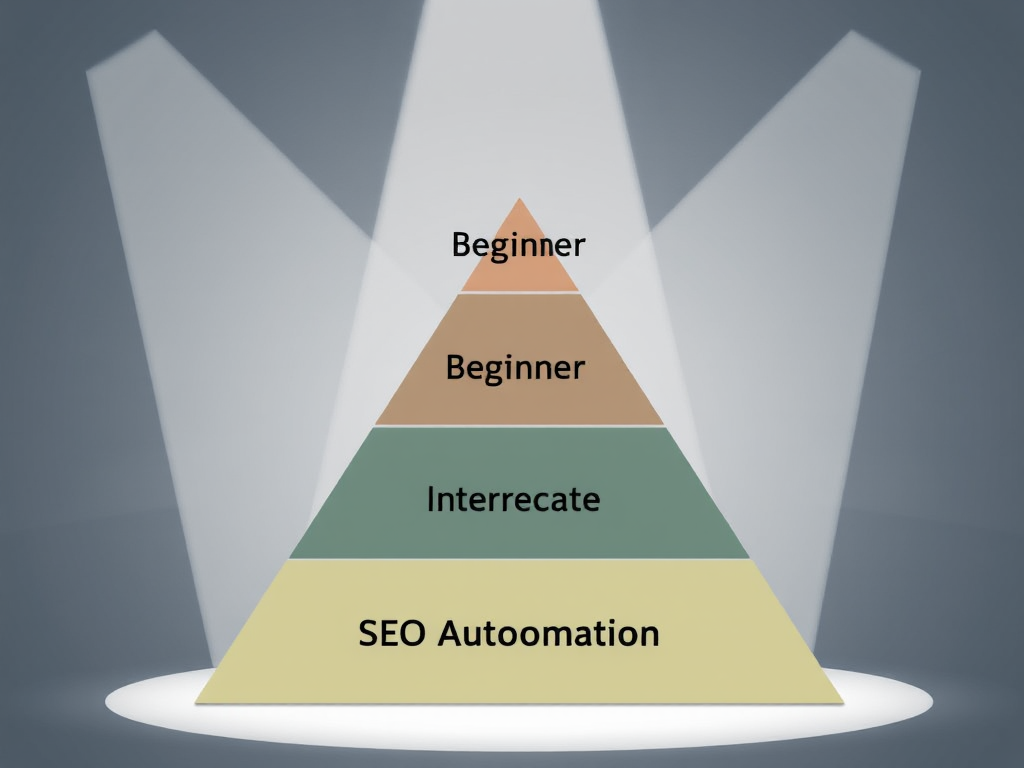
Beginner-Friendly Automation Tools
Newcomers to SEO should start with tools that offer intuitive interfaces and clear guidance. Google Analytics and Search Console provide comprehensive data without requiring technical expertise. Both platforms offer guided setup processes and educational resources.
Canva’s free version helps create visually appealing content that supports SEO efforts. While not an SEO tool per se, it enables the creation of infographics, social media graphics, and other visual content that can attract backlinks and improve engagement metrics.
Trello or Asana’s free versions help organize SEO tasks and track progress. Automation features like due date reminders and task dependencies ensure consistent execution of SEO strategies. These project management tools integrate with most other SEO platforms through Zapier or similar automation services.
Intermediate SEO Automation
Users with some SEO experience can leverage more sophisticated free tools. Screaming Frog’s 500 URL limit supports comprehensive audits of small to medium websites. The tool’s advanced features like JavaScript rendering and XML sitemap generation require some technical knowledge but provide significant value.
Google Data Studio offers free dashboard creation with automated data updates. Users can connect multiple data sources including Analytics, Search Console, and Google Sheets to create comprehensive SEO reports. The platform supports scheduled email delivery, automating report distribution to stakeholders.
Google Tag Manager’s free version enables advanced tracking implementations without coding. Users can set up event tracking, form submissions, and scroll depth measurements that provide insights beyond basic analytics data. The platform integrates with most marketing tools and supports custom variables for sophisticated tracking scenarios.
Advanced SEO Automation Frameworks
Experienced SEO professionals can build custom automation solutions using free development tools. Python’s open-source libraries like BeautifulSoup and Scrapy enable web scraping for competitive analysis and opportunity discovery. While requiring programming knowledge, these tools offer unlimited customization possibilities.
Google Cloud Platform provides a free tier with sufficient resources for many SEO automation tasks. Users can run custom scripts, process large datasets, and build automated reporting systems. The platform integrates with all Google marketing tools and supports custom machine learning models for predictive SEO analysis.
GitHub’s free tier supports version control for SEO automation projects. Users can collaborate on script development, track changes, and maintain documentation for complex automation workflows. The platform integrates with most development tools and supports continuous integration for automated testing.
The Hidden Costs of Free Tools

Time Investment vs. Monetary Cost
Free tools often require more time to achieve the same results as paid alternatives. Limited features mean multiple tools may be needed to accomplish what one premium tool handles comprehensively. This tool-switching overhead can negate time savings from automation.
Learning curves vary significantly between tools. While Google Analytics offers extensive documentation, mastering its advanced features requires substantial time investment. Similarly, technical SEO tools like Screaming Frog have steep learning curves that can delay implementation of optimization recommendations.
Integration challenges add another layer of complexity. Free tools rarely offer native integrations with each other, requiring manual data exports and imports. This process introduces opportunities for errors and consumes time that could be spent on strategic activities rather than data management.
Data Limitations and Accuracy Issues
Free tools often provide sampled data or delayed updates that can impact decision-making. Google Analytics’ free version samples data for high-traffic websites, potentially missing important trends in user behavior. Similarly, rank tracking tools may update data weekly rather than daily, delaying response to algorithm changes.
Accuracy limitations affect competitive analysis capabilities. Free backlink checkers provide incomplete data compared to premium versions, potentially missing important link opportunities or competitor strategies. This data gap can lead to suboptimal SEO decisions based on incomplete information.
Feature limitations restrict automation capabilities. Many free tools lack API access, preventing integration with custom automation workflows. This restriction forces manual intervention in processes that could be fully automated with premium tools, reducing overall efficiency gains.
Learning Curve Considerations
Free tools often have less intuitive interfaces and limited customer support. Users must rely on community forums, documentation, and trial-and-error learning. This self-service approach can be time-consuming and frustrating, particularly for complex tools like Google Tag Manager or Screaming Frog.
Feature discovery requires active exploration. Free tools rarely provide guided tours or contextual help, meaning users must discover capabilities through experimentation. This discovery process delays realization of the tool’s full potential and can lead to underutilization of available features.
Community support quality varies significantly. While some free tools have active user communities, others offer limited peer support. This variability affects the speed of problem resolution and the quality of solutions available for complex issues.
Security Considerations for Automated Systems

Data Privacy Concerns
Free tools often monetize through data collection and sharing. Understanding privacy policies is essential before connecting these tools to your website or client accounts. Some tools may share data with third parties or use it for training AI models without explicit user consent.
API key security becomes critical when using multiple free tools. Each integration point represents a potential security vulnerability. Users must implement proper key management practices and regularly rotate credentials to minimize exposure risks.
Compliance requirements add complexity for agencies and businesses handling client data. Free tools may not offer the data protection guarantees required by regulations like GDPR or CCPA. This limitation can restrict their use in certain jurisdictions or for specific types of client work.
API Limitations and Rate Limits
Free tools often impose strict API rate limits that can interrupt automation workflows. These limits may be sufficient for occasional use but problematic for continuous monitoring or large-scale data processing. Users must design workflows that respect these limitations while maintaining functionality.
Rate limit errors can cause data gaps in automated reporting. When API calls fail due to rate limiting, the automation system must handle these errors gracefully and implement retry mechanisms. This error handling adds complexity to automation scripts and requires ongoing maintenance.
Service reliability varies significantly between free tools. Some providers maintain consistent uptime while others experience frequent outages or performance issues. Users must monitor tool reliability and implement fallback mechanisms to ensure continuity of critical SEO processes.
Tool Reliability and Uptime
Free tools often lack the infrastructure investments that ensure high availability. Service interruptions can delay critical SEO tasks like rank tracking or technical audits. Users must monitor tool status and have contingency plans for when services become unavailable.
Data retention policies vary between providers. Some free tools may delete historical data after certain periods, affecting trend analysis and long-term performance tracking. Users must implement their own data backup strategies to preserve important historical information.
Feature deprecation poses ongoing risks. Free tools may remove features or discontinue services entirely without notice. Users must stay informed about tool changes and be prepared to migrate to alternatives when necessary to maintain automation workflows.
Making the Right Choice: Free vs. Paid Solutions

When to Upgrade from Free Tools
Business growth often necessitates upgrading from free tools. As website traffic increases, data sampling in free analytics tools becomes problematic. Similarly, expanding keyword portfolios may exceed rank tracking limits, making paid solutions more cost-effective.
Client requirements frequently drive tool selection. Enterprise clients often require specific reporting capabilities, data security guarantees, or integration features only available in premium tools. Meeting these requirements may justify the investment in paid solutions.
Time efficiency becomes increasingly valuable as operations scale. The cumulative time savings from premium tools with better integrations and more comprehensive features can outweigh their costs, particularly for agencies managing multiple clients or large websites.
Hybrid Approaches for Maximum ROI
Many successful SEO operations combine free and paid tools strategically. Free tools can handle basic monitoring and routine tasks while premium tools focus on advanced analysis and strategic decision-making. This approach maximizes value while controlling costs.
Free tools often excel at specific tasks while paid tools provide comprehensive solutions. Using free keyword research tools alongside premium rank tracking platforms, for example, can provide both discovery capabilities and advanced monitoring without duplicating functionality.
Automation frameworks can integrate both free and paid tools through APIs and custom scripts. This integration enables seamless workflows that leverage the strengths of each tool type while minimizing their individual limitations. The key is designing flexible systems that can adapt as tool availability and requirements change.
Future-Proofing Your SEO Automation Stack
Building flexible automation systems helps adapt to changing tool landscapes. Using modular architectures that separate data collection, processing, and reporting allows easy substitution of tools as they become available or deprecated. This flexibility protects against service disruptions and changing business needs.
Investing in automation skills provides long-term value regardless of specific tools. Understanding programming concepts, API integration, and data analysis enables adaptation to new tools and technologies as they emerge. These skills remain valuable even as individual tools change or become obsolete.
Regular evaluation of tool effectiveness ensures optimal resource allocation. Periodically assessing whether free tools still meet business needs helps identify opportunities for upgrading or switching to more effective solutions. This ongoing evaluation prevents stagnation and ensures continued efficiency gains.
Conclusion

Free SEO automation tools offer genuine value for businesses and individuals with limited budgets. The key is understanding their limitations and implementing them strategically within a comprehensive SEO framework. While “free” often comes with hidden costs in time, data limitations, and security considerations, these trade-offs can be acceptable for many use cases.
The tools discussed in this guide cover the full spectrum of SEO automation needs—from keyword research and content optimization to technical audits and rank tracking. By organizing them by task and skill level, you can build a customized automation stack that matches your specific requirements and expertise.
Remember that successful SEO automation isn’t about finding the cheapest tools, but about maximizing efficiency and effectiveness within your resource constraints. Whether you choose to start with free tools, upgrade to premium solutions, or implement a hybrid approach, the principles of strategic automation remain the same.
For comprehensive guidance on building effective SEO automation systems that scale with your business, explore the resources available at SEO Agent. Our platform provides expert insights and practical frameworks for implementing automation strategies that deliver measurable results in today’s competitive search landscape.
Start with the free tools that align with your immediate needs, but keep evaluating their effectiveness as your SEO requirements evolve. The right automation stack can transform your SEO operations from a resource-intensive challenge into a streamlined, data-driven competitive advantage.